The challenge was not to add more AI. It was to make automation controllable inside a regulated reporting workflow.
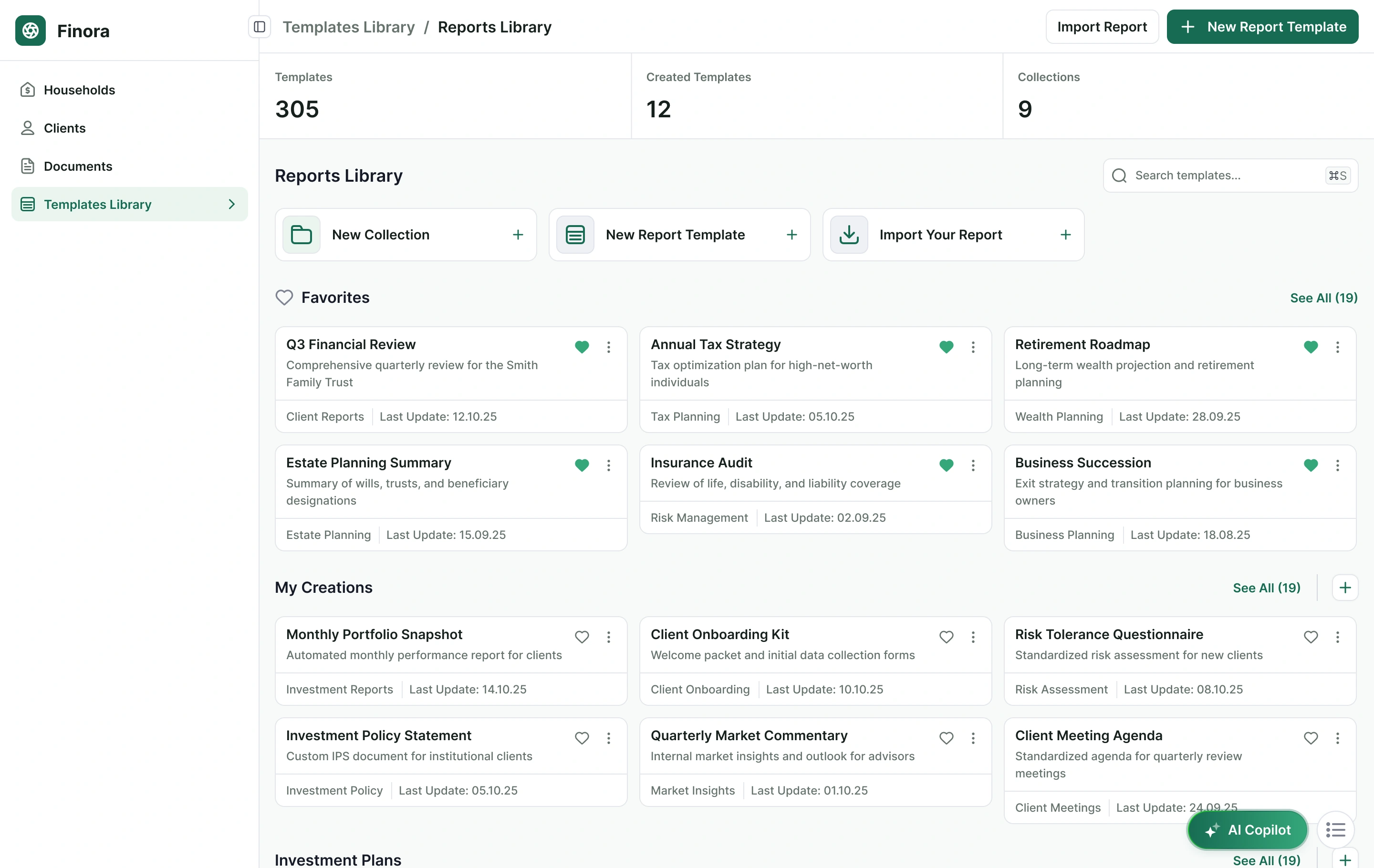
Financial advisors need speed, but they also need to understand where content comes from, how it is generated and what can be changed before anything becomes client-facing. The system therefore had to support automation, reuse and collaboration without hiding authorship or evidence.
AI-generated content had to remain inspectable, editable and reversible.
Advisors needed templates that preserved structure, prompts and dynamic content.
Existing reports had to enter the system without destroying valuable branding.
I treated templates as product infrastructure, not just saved documents
Report templates became reusable systems: sections can be added and reordered, drafts can be saved, versions restored, and each content block can carry its own prompt and resources.
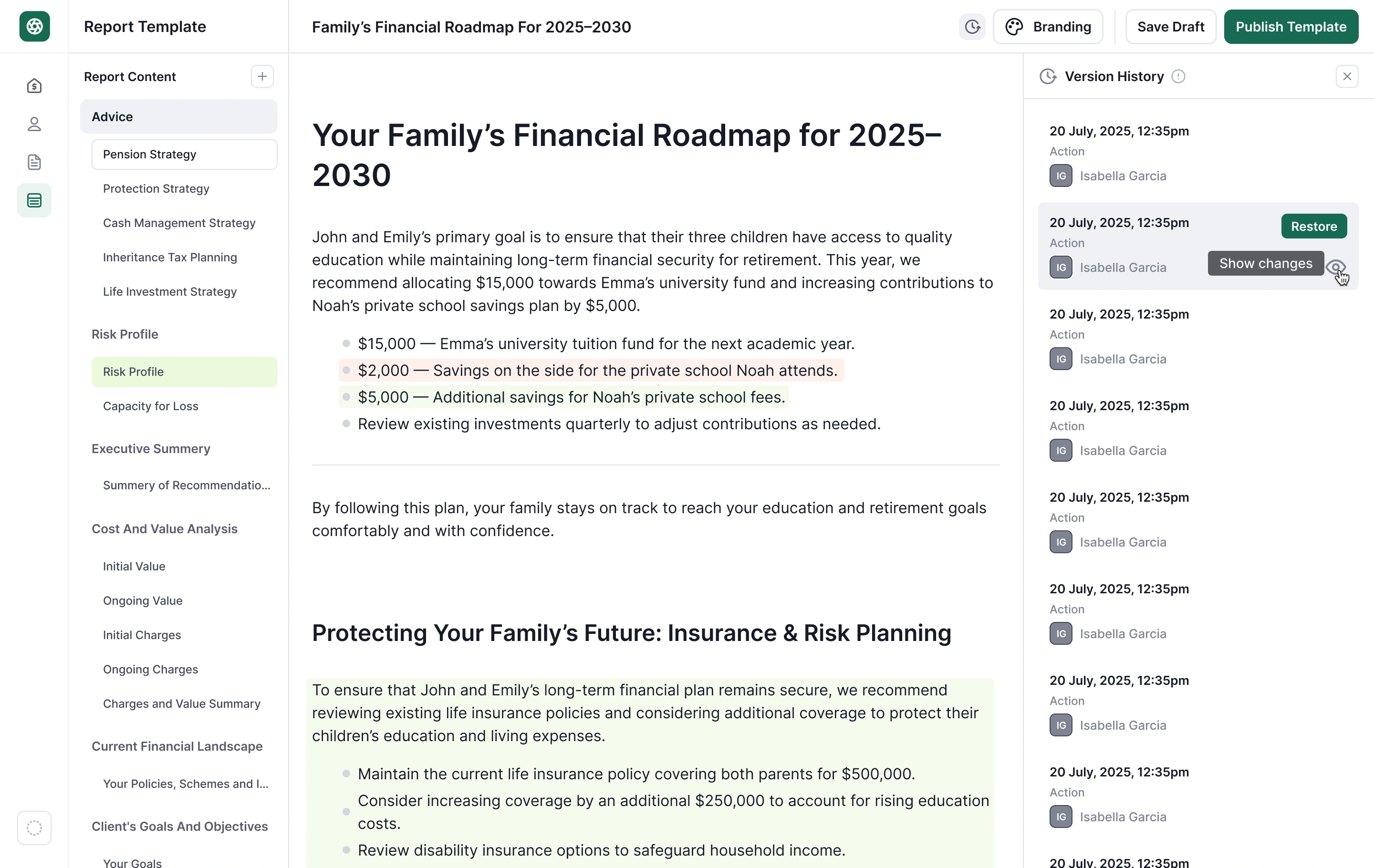
Give AI instructions and evidence without hiding either
At card level, advisors can define the prompt that guides generated content and manage the sources available to it. Keeping these controls visible makes AI behavior easier to understand, tune and review.
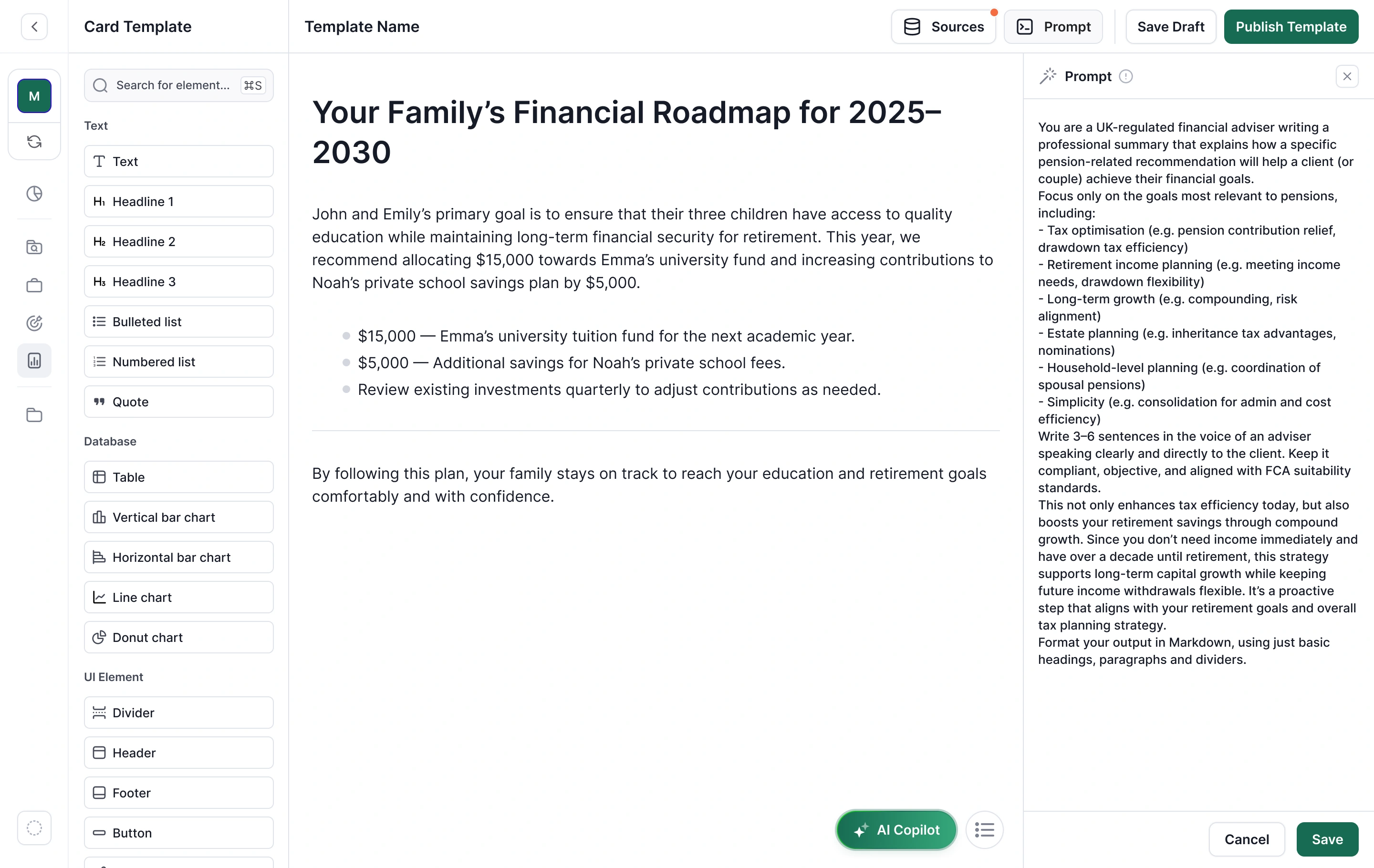
AI suggests. The advisor confirms.
The interface keeps generated content inside an explicit review model rather than presenting automation as certainty.
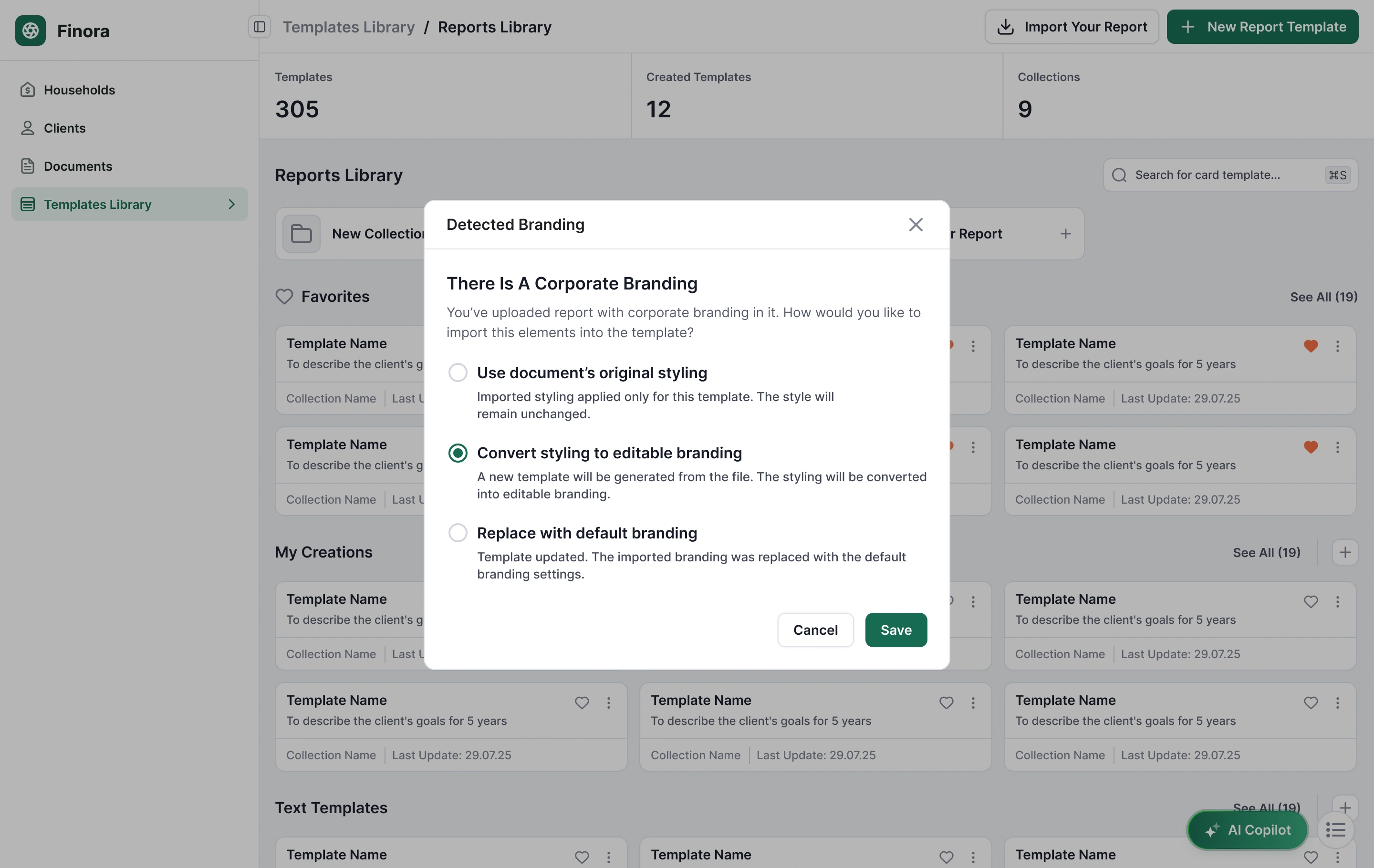
Importing an existing report became a controlled transformation instead of a destructive action
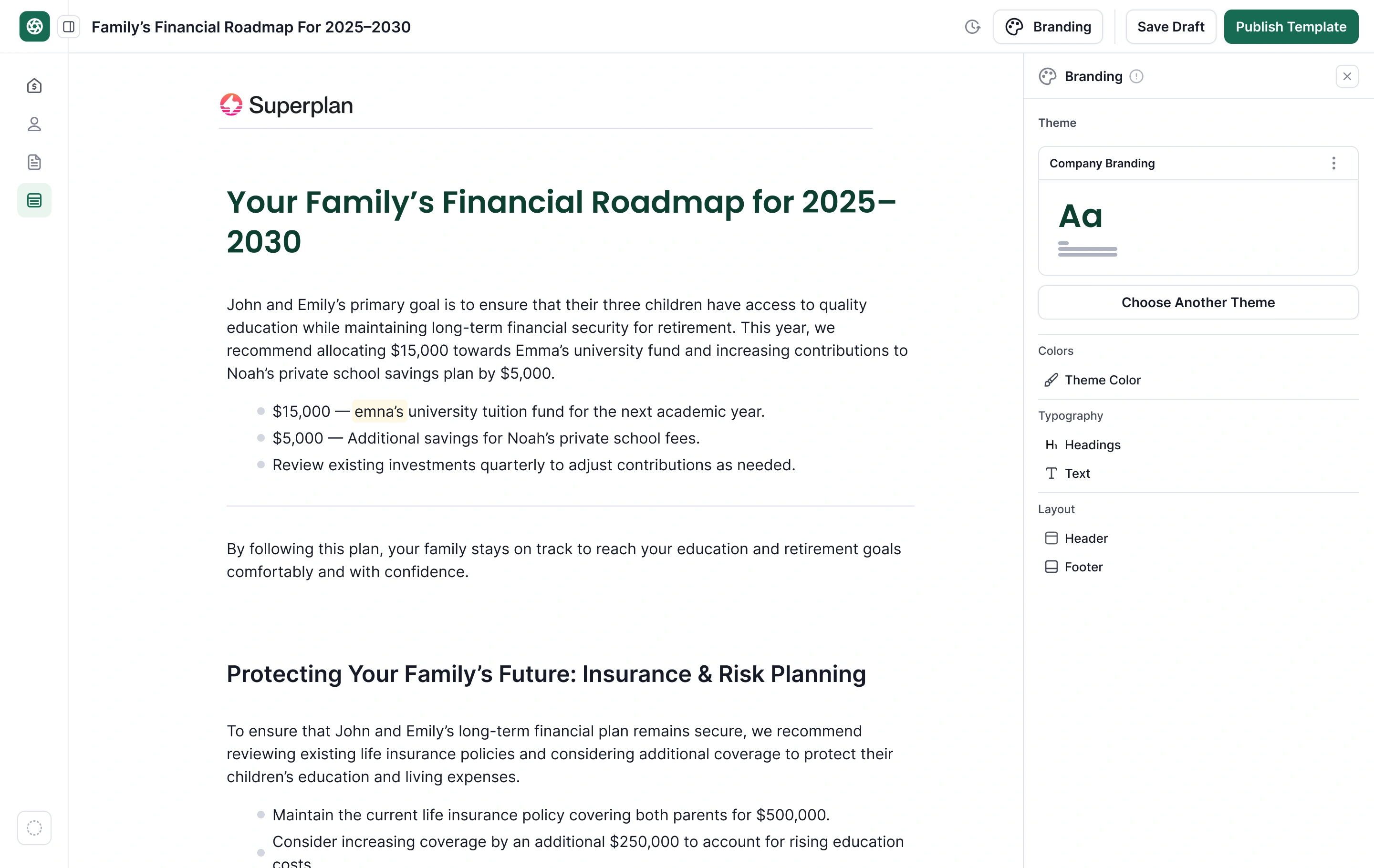
When corporate styling is detected, the user chooses what should happen: preserve the original styling, convert it into editable branding, or replace it with the product default.
AI can detect dynamic content, but it should not silently rewrite the document model
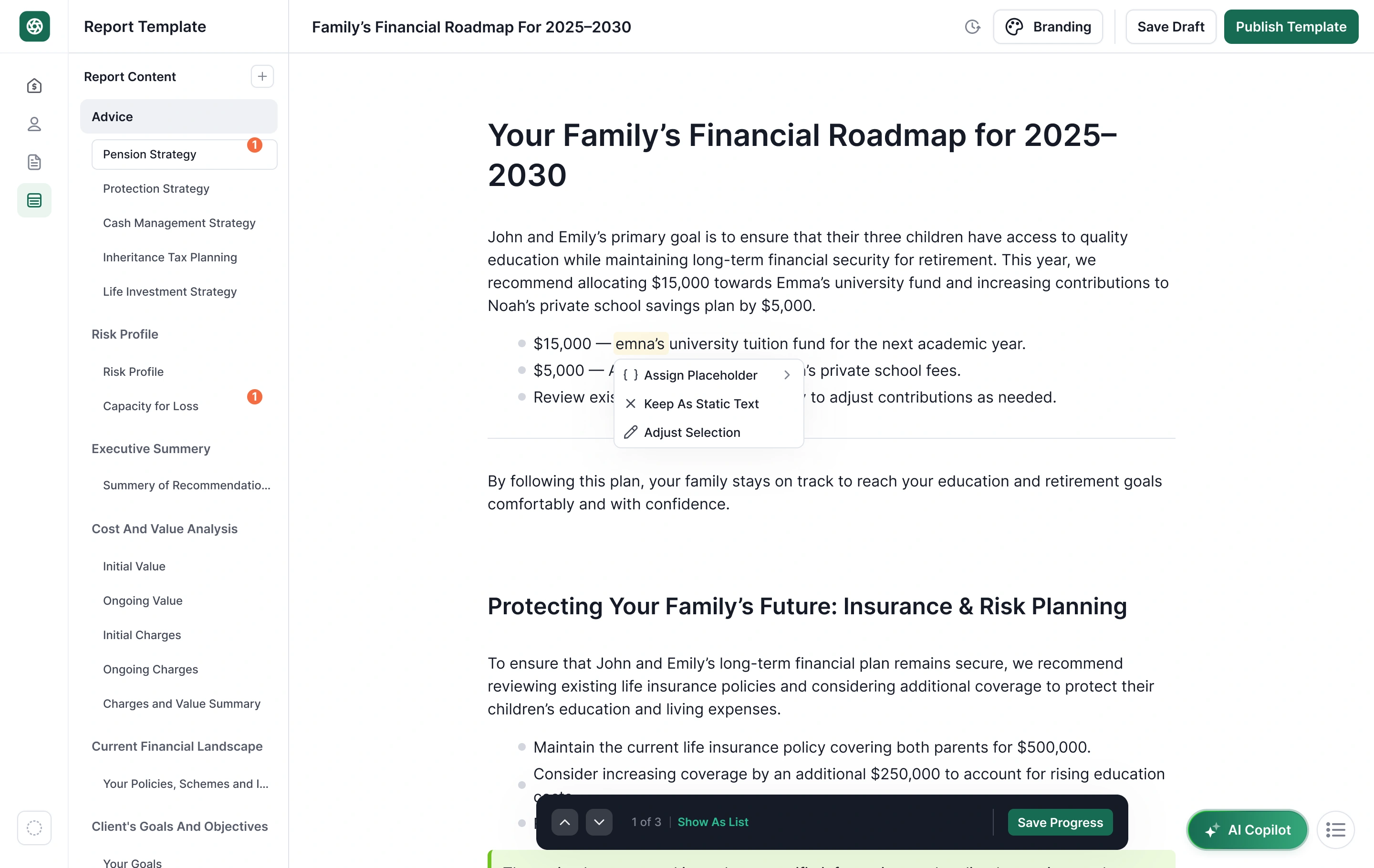
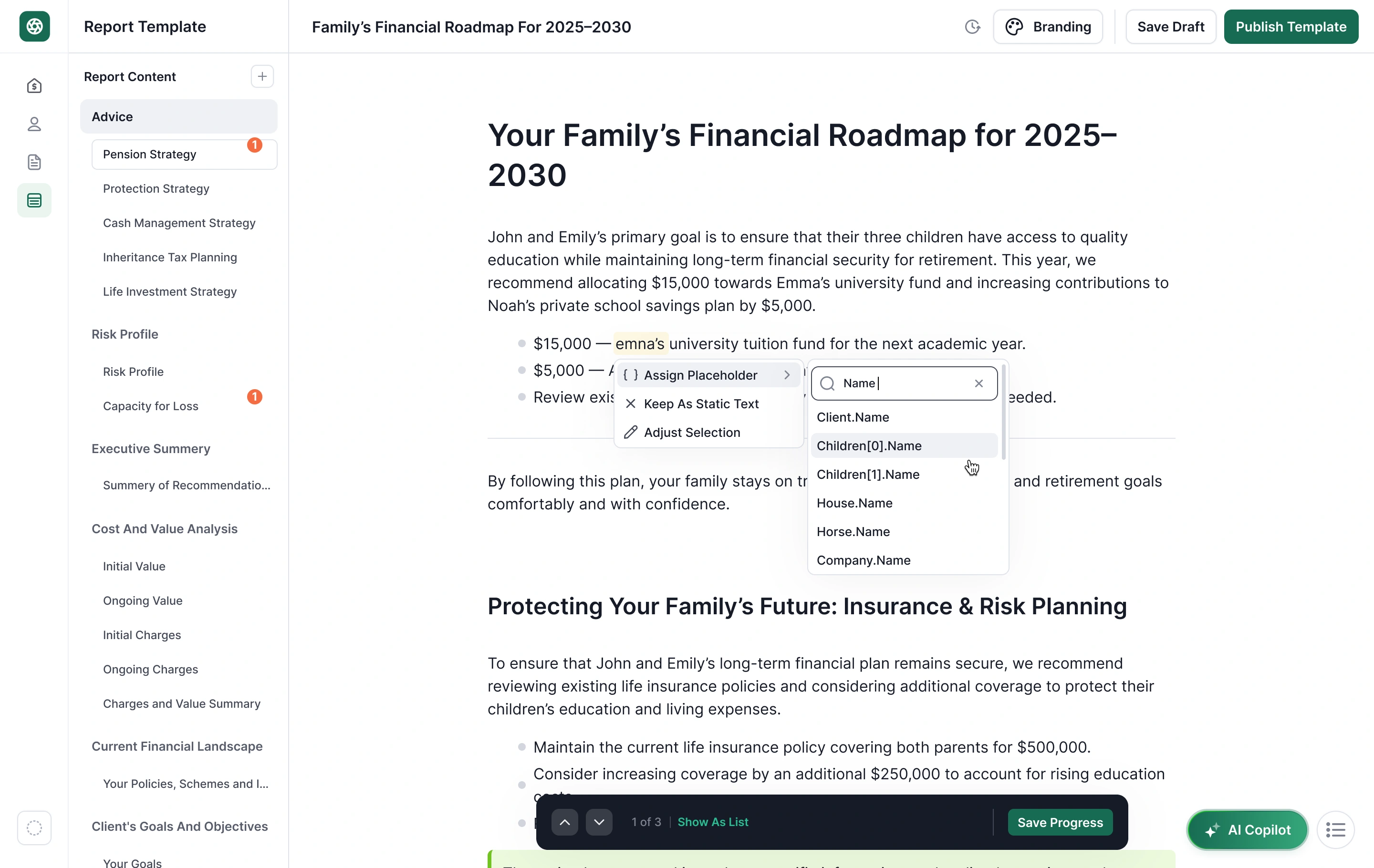
Imported reports often contain values that should become dynamic: client names, dates, household details or financial values. Finora highlights detected content and lets the advisor assign a placeholder, keep it static, or adjust the selection.
Separate detection from confirmation
The system can identify likely dynamic content, but it does not pretend confidence is certainty. Review controls keep the automation recoverable.
Client reports are team artifacts, so review had to live inside the document
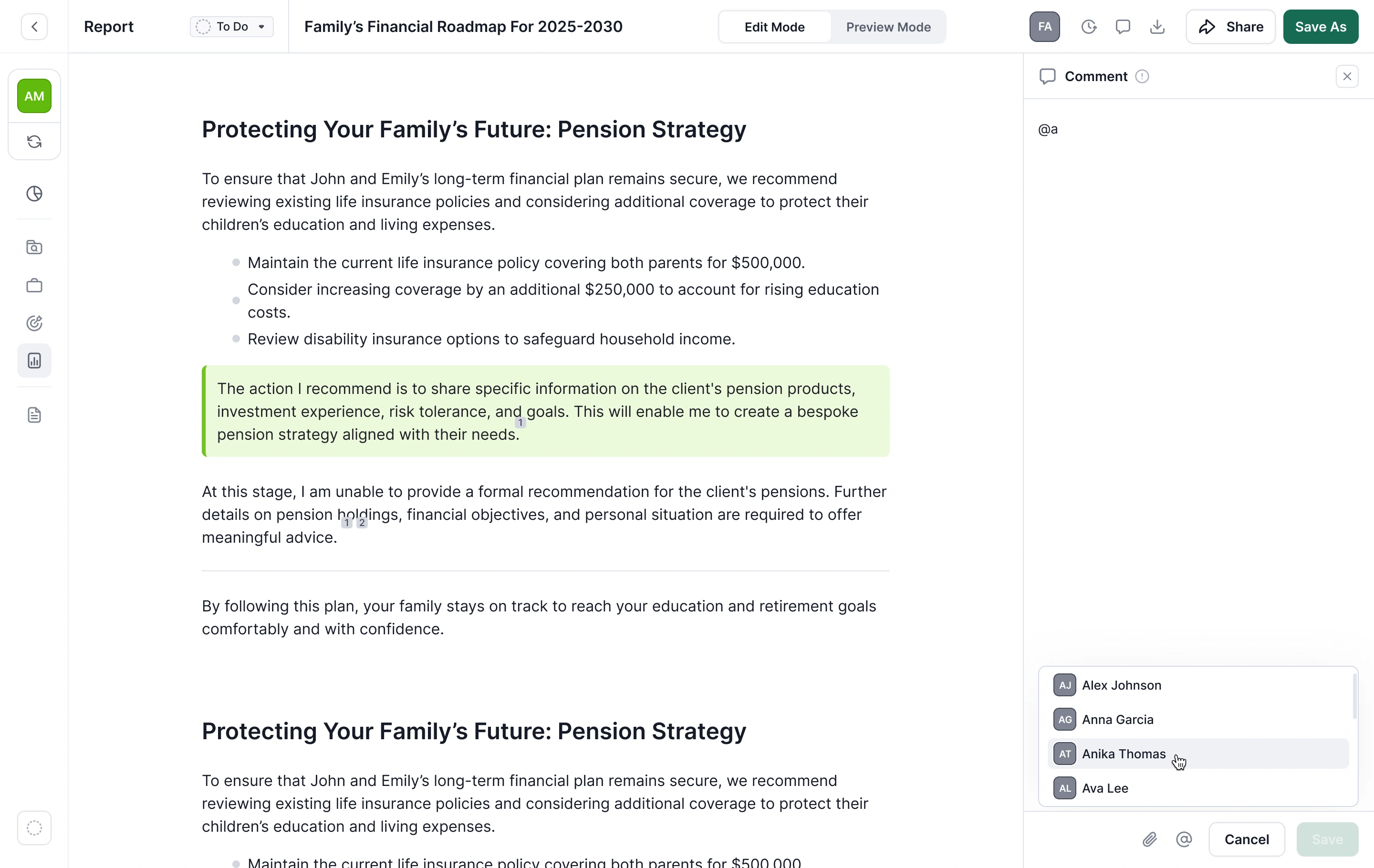
The report workspace supports comments, mentions and change history so multiple users can review the same client-facing output without moving the conversation into a separate tool.
From document editing to controlled report infrastructure
The contribution is structural: advanced capabilities now share a consistent model for automation, review, reuse and collaboration.
A clearer system for turning advisor knowledge and existing material into reusable, client-ready reports
Each advanced feature reinforces the same product principles instead of behaving like a separate tool.